

How a case moves through Case Nurse.
Case Nurse does the reading and sorting a chronology needs, then hands you a draft where every entry points to its source page. Here is what happens at each step.
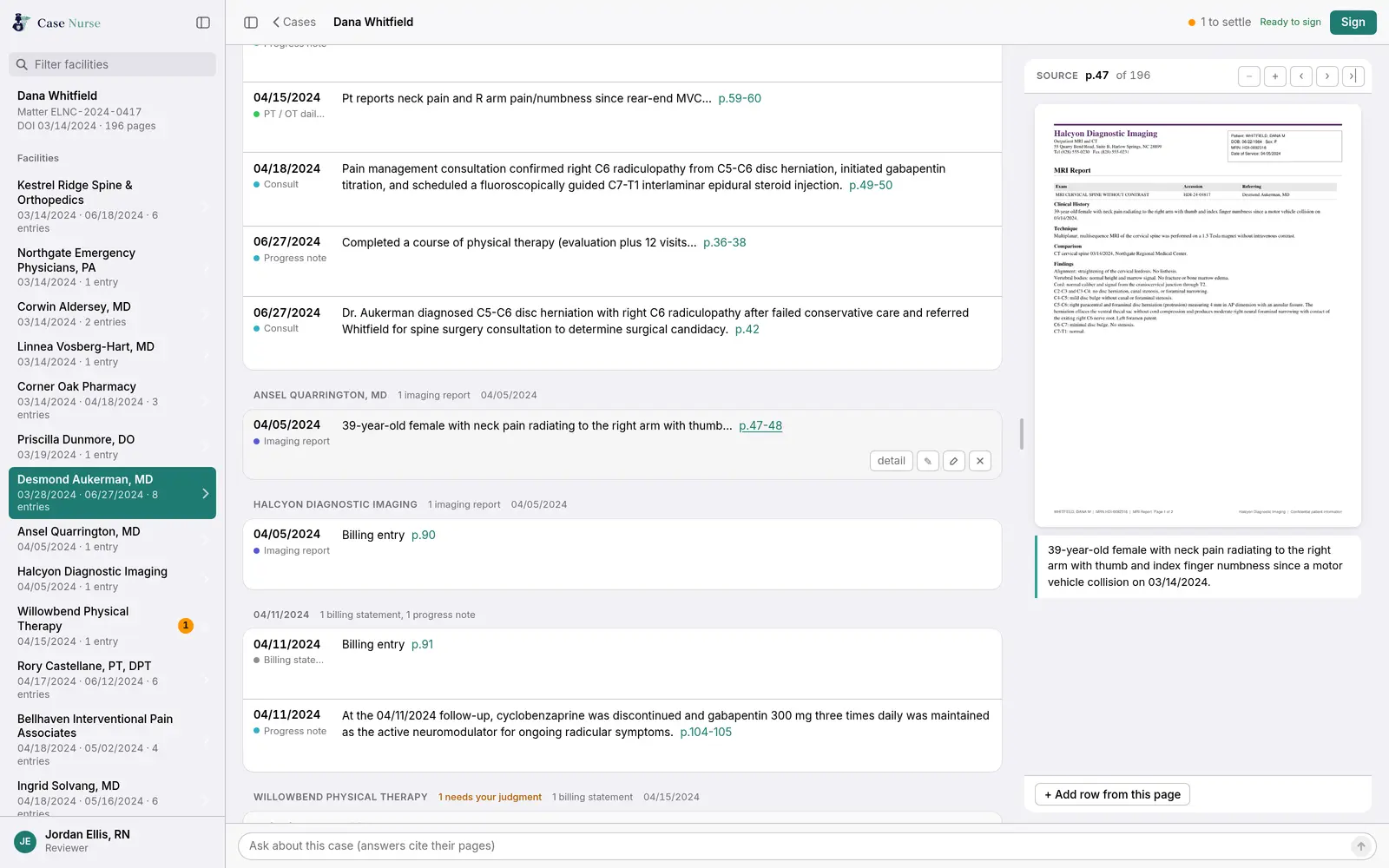
The case file: facilities on the left, the chronology in the middle, the cited page on the right. Every name and record shown is invented.
“To have it side by side just makes it so much easier.”
Step 1
Upload the records.
Create a case and add every PDF you have: ER records, imaging, therapy notes, operative reports, billing statements. Each PDF can be up to 2 GB, and a case can hold as many as you need. When more records arrive next month, add them to the same case.
Scanned pages are read with optical character recognition, and every page keeps its original page number so citations match the file you received.
Step 2
Get a cited draft.
Case Nurse reads every page and builds the draft:
- Record types. Each page range is tagged as an ER visit, imaging report, therapy note, operative note, billing statement, and so on.
- Encounters. Complaints, exam, imaging, and plan for one visit become one entry. Repeated forms collapse into a single run.
- Findings. Diagnoses, medications, treatments, mechanism of injury, complaints, and exam findings, each with page citations.
- Gaps in care. Breaks in treatment longer than 30 days show up on the timeline.
- Billing. Charges totaled by provider, with possible duplicate statements and repeated same-day charges flagged.
“Out of the 900+ pages, I only care about maybe 20 pages.”
 Gina Peiffer, RN, BSN, LNCBeta participant
A file of about 100 pages is typically ready in minutes. Very large files take longer; a record set of nearly 13,000 pages finished in a few hours.
Step 3
Review and sign.
You read the chronology end to end, with the source page open beside whatever entry you are on. Edit any entry, add a row from any page, and hide anything that is noise.
A short list of questions is set aside for your judgment: records that conflict, bills that may be duplicated, dates that need a clinician’s eye. On a beta case of about 100 pages, a handful of items needed the nurse’s decision.
When you are done, you sign. Before you sign, you confirm you have read the document to the end. You can reopen a signed case later if new records arrive.
“This is very easy to use… It flows nicely like I can clearly see and read.”
 Paige Beauregard, RN, LNC · PB Legal Nurse ConsultingCompensated onboarding participant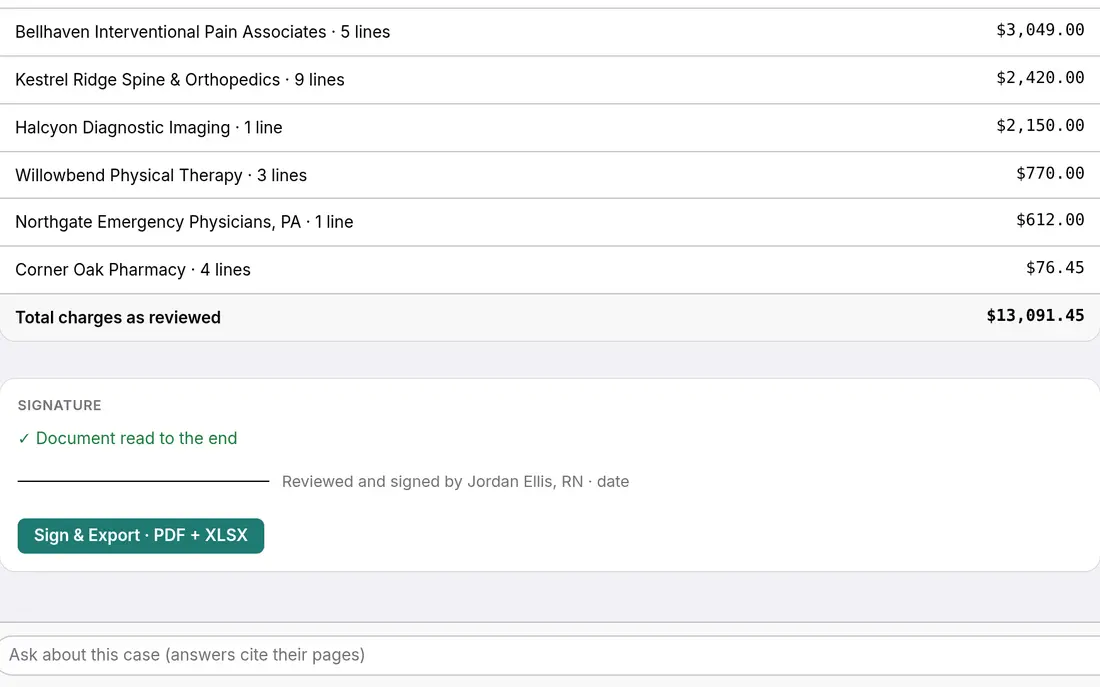
Step 4
Deliver it under your brand.
Set up your practice name, credentials, logo, and contact details once. Every export carries them.
- Signed chronology
- The reviewed chronology with your signature, as a PDF for the attorney and an Excel workbook they can sort and filter.
- Narrative chronology
- A paragraph for each encounter, with quotes from the records kept verbatim. Edit it in the browser, then export to Word or PDF.
- Demand letter draft
- For attorneys who want one, a draft demand letter built from the reviewed case, ready to edit and export.
Also included
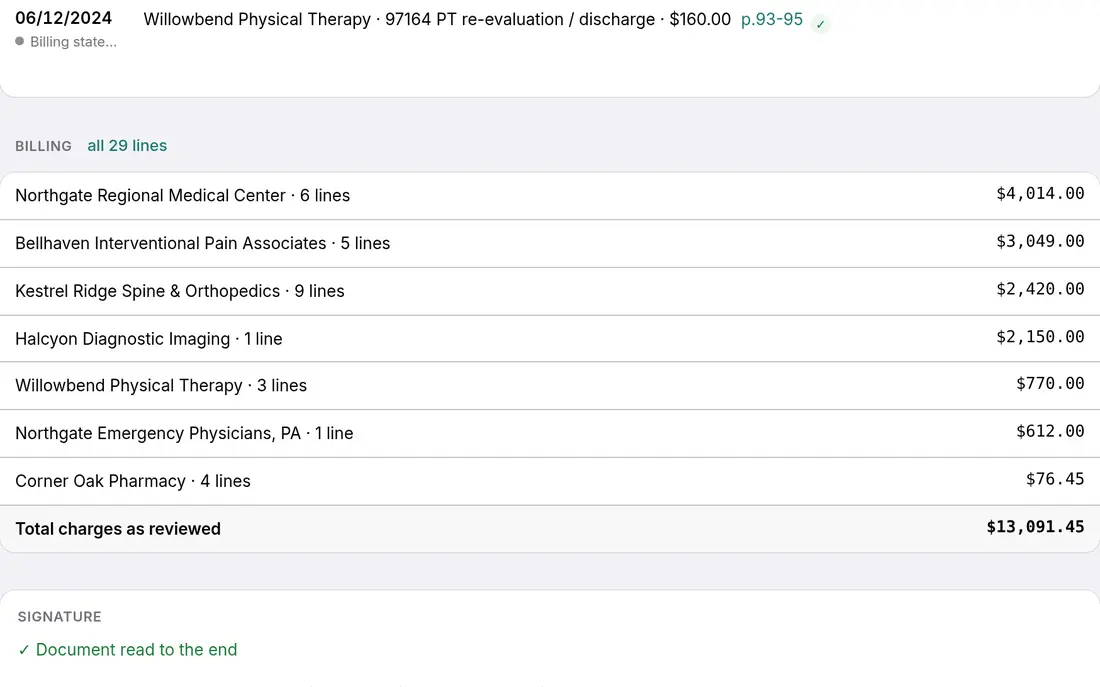
- Billing to the cent. Charges by provider and in total, with each line linked to its statement page.
- Ask the case. Type a question about the reviewed case and get an answer that cites its pages, or a plain “not found.”
- Facility view. Jump to everything from one provider or facility in a click.
- Many case types. Personal injury, workers’ compensation, and long-running chronic care such as dialysis.